Whiteboard vs. Scheduling Software: When You've Outgrown the Magnets
There's nothing wrong with a whiteboard — until there is. The point where your magnetic tag system stops working is specific and recognizable.
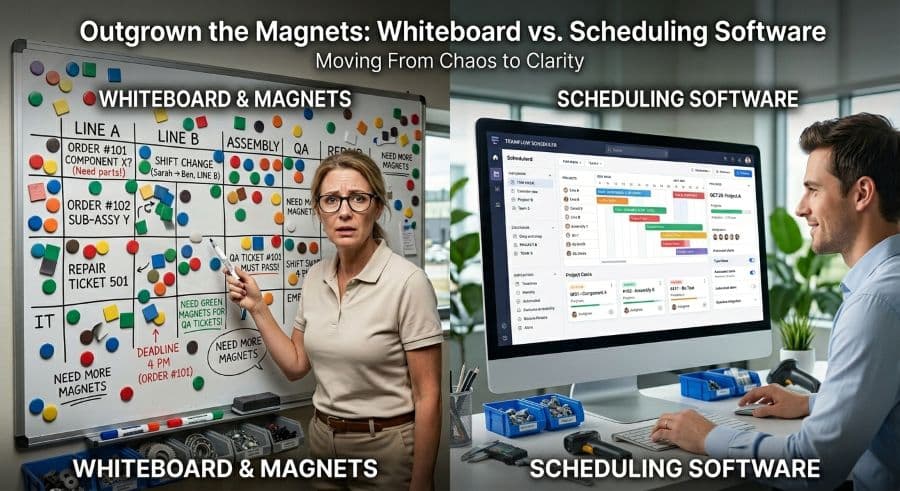
A whiteboard is a real scheduling tool. Treat it like one.
The magnet for job 4471 is on the floor. Nobody saw it fall, which means nobody can say for certain whether the VMC running right now is cutting 4471 or the job that was supposed to follow it. The second-shift lead walks in at three o'clock, looks at a board that's missing a tag and has two others in the wrong column, and rebuilds the plan from memory and a couple of sticky notes. By morning the board is "right" again. Nobody can reconstruct what it said twelve hours ago, or why.
That is the whiteboard failure mode. Not that the board is primitive — it isn't. A magnetic board is glanceable, tactile, needs no login, survives a power outage, and trains a new lead in about ninety seconds. For a five-machine shop running ten or twelve active jobs, it is genuinely the right tool, and anyone who tells you to rip it out for software you don't need yet is selling something.
The honest question isn't whether whiteboards are good. It's whether yours still is — because the point where a magnetic board stops being a tool and starts being a liability is specific, and recognizable, and most shops blow past it for a year before they admit it. This article is about where that line sits, how to spot it on your own floor, and what actually replaces the magnets when you get there.
The breaking point is specific, not gradual
A whiteboard works because one person can hold the whole picture in their head. The board is a memory aid for a model that already lives in the scheduler's brain. As long as that's true, the board is faster than any software.
It stops being true at a threshold, and the threshold is combinatorial, not linear. Schedule difficulty doesn't track the number of machines — it tracks the number of relationships between machines and jobs. Five machines and ten jobs is fifty possible assignments, and a competent lead carries that without strain. Fifteen machines and thirty concurrent jobs is 450 possible assignments, plus the sequence rules that tie operations together. You can check that math yourself: it's machine count times job count, and it explodes well before your shop feels twice as busy.
So the failure doesn't announce itself. The board that handled twelve jobs fine handles thirty jobs badly, and the day it crosses over looks like any other day — except now the lead is spending the first hour of every shift just figuring out what the board is telling them. The tool that used to save time has quietly started consuming it.
The trigger is almost never machine count alone. It's concurrency — how many jobs are live across the floor at once — multiplied by how many of those jobs have multi-operation routings that have to run in order. A shop with eight machines and a brutal mix of short-run, multi-op work hits the wall before a shop with twenty machines running long single-op jobs.
The four things the magnets can't do
When a board breaks down, it's rarely because it ran out of space. It's because the work outgrew what a board can physically represent. There are four jobs a whiteboard structurally cannot do, no matter how disciplined your team is.
It can't be one source of truth across shifts. A board is edited by people who never overlap. The day lead leaves the board in a state; the night lead inherits it with no record of why it looks that way — which moves were deliberate, which were reactions to a breakdown, which customer call drove the resequence at 2 p.m. The board shows the what and erases the why every single shift. On a single-shift floor this is invisible. Add a second shift and it becomes the source of half your scheduling friction.
It can't model a what-if without destroying the plan. A customer calls with a rush job. To find out whether you can take it, someone has to physically pull magnets and rearrange the board — which means destroying the current plan to test a hypothetical one. If the answer turns out to be no, you now have to rebuild what you just tore apart, from memory, while the phone is still on hold. The board can show you one plan at a time. It cannot show you a plan and a proposed change side by side.
It can't enforce sequence logic. Job 4471 needs Op 10 on the mill before Op 20 on the lathe. The board shows both magnets sitting in their machine columns, but it has no idea they're connected. If the mill slips two hours, nothing on the board flags that the lathe slot downstream is now wrong. A human has to notice, every time, for every multi-op job. Miss it once on a hot job and you've got an operator set up and waiting on parts that aren't coming.
It can't remember. When a customer asks why their job shipped four days late, the board has no answer, because the board only knows now. There's no history to walk back through, no record of when the job actually moved versus when it was supposed to. You can't improve a process you can't reconstruct, and a whiteboard deletes its own evidence every time someone moves a tag.
A fifth one matters the moment the owner leaves the building: the board exists in exactly one room. The person who most needs to know whether Tuesday's promise is real is often standing in a customer's lobby, with no way to see the floor.
What it actually costs to keep the board past its limit
The case for staying on the whiteboard is that it's free. The case against is that "free" stops being true the moment the board starts producing wrong answers.
Start with the conflict you can see. When two jobs collide on the same machine and it reaches the floor, the cost of unwinding it — machine restart, resequencing, the capacity you lose while a setup sits idle — runs $250 to $1,000 per incident (Product Brief §2). That's per event. If your board trips one of those a week, do the arithmetic for your own shop; the number is uncomfortable and it's entirely a function of the scheduling method, not the machining.
Then there's the cost you can't see directly. Across a typical job shop, manual scheduling inefficiency burns 5 to 10 percent of revenue (Qlector 2025) — the late jobs, the idle setups, the expedite fees, the overtime spent catching up. On a $2M shop that's $128,000 to $276,000 a year. Not all of that disappears with software, and any vendor who promises you the whole number back is lying. But a meaningful slice of it is pure scheduling friction — exactly the friction a board produces once you're past its limit.
The whiteboard didn't get more expensive. Your shop got more complex, and the board's cost — invisible while it worked — became real the day it stopped.
What "scheduling software" actually means here, and what it doesn't
This is the part most shops get wrong, because "scheduling software" has been poisoned by two decades of ERP demos. When a board-based shop pictures the alternative, they picture a six-figure implementation, a consultant on site for three months, and a system that needs every part number and routing loaded before it does anything useful. That's not the alternative. That's a different category of problem.
The thing that replaces a whiteboard is the digital version of the whiteboard: a visual, drag-and-drop Gantt where each machine is a row and each job is a block you move with your hand, the same way you move a magnet. The mental model is identical to the board your lead already runs in their head. What changes is that the digital version remembers every move, does the sequence math so a slipped op flags its own downstream conflict, lets you drag a hypothetical job into place and back out without touching the live plan, and shows the same picture to the owner in a customer's parking lot as to the lead on the floor. The point of a digital scheduling tool versus a whiteboard isn't more features — it's the four things the board structurally couldn't do.
It's worth naming the intermediate step, because most shops take it: when the board breaks, the first move is usually a spreadsheet. That buys you history and a single file, but a grid of cells can't show you a sequence collision either, and it falls apart for the same reasons Excel breaks down as a production schedule — it has no concept of a machine, a routing, or a downstream dependency. A spreadsheet is a better whiteboard. It is not a production scheduling tool built for how a job shop actually runs.
How to know you've crossed the line
You don't need a consultant to tell you whether you've outgrown the board. The signals are concrete. If three or more of these are true on your floor right now, you've already crossed the line — you're just absorbing the cost manually:
- The first task of every shift is reconstructing what the board means, not acting on it.
- A second shift inherits the board with no record of the day's decisions.
- Answering "can we take this rush job?" requires physically tearing apart the current plan.
- A multi-op job slipped recently because nobody caught a downstream conflict the board couldn't show.
- A customer asked why a job was late and you couldn't reconstruct what actually happened.
- The owner or scheduler can't see the floor's status without being in the room.
- You're running roughly 15 or more machines or 30 or more concurrent jobs, and the board feels like it's barely holding.
None of these means your team is doing anything wrong. They mean the tool ran out of room. The decision to replace the whiteboard for production scheduling isn't an admission of failure — it's the same decision you made when you outgrew running the whole shop out of one person's head and put up a board in the first place.
Where this leaves you
A whiteboard is a perfectly good scheduling tool, right up until the day your shop's concurrency outruns what a board can physically hold — and that day is specific, not gradual. If you recognized your floor in the signals above, the cost of staying isn't hypothetical; it's the conflict incidents at $250 to $1,000 a pop and the scheduling friction quietly eating a slice of revenue every month.
The next step isn't a six-month ERP project. It's seeing whether the digital version of your board — same drag-and-drop model, plus memory and sequence math — actually fits how your shop runs. The shops that make this switch don't talk about software; they talk about stopping the missed due dates that drove them to look in the first place.
Want to see your own machines and jobs on a Gantt before you commit to anything? Start a free trial — no credit card, 14 days, and you can drag your real schedule into it in an afternoon. If you'd rather start smaller, the tools and templates in the store are a low-stakes way to get your schedule out of magnets and into something that remembers.
Ready to go beyond the guide?
Most shops are on a live Gantt board within 60 minutes of sign-up, with their existing job list imported from Excel.
Get shop floor scheduling guides in your inbox
Practical articles for production managers — no spam, unsubscribe anytime.
Related articles
Production Scheduling Software for Job Shops in 2026: A Buyer's Guide
The production scheduling software market spans four distinct tiers — from free spreadsheets to $50,000/yr enterprise AP…
Why Excel Scheduling Breaks Down After 20 Jobs (And What to Do Instead)
Excel can handle 5 to 20 jobs in a job shop. Past that, it becomes a liability. Here's why it breaks and what the altern…
When ERP Is Overkill: Scheduling-Only Tools for Small Job Shops
ERPs are powerful — but expensive, slow to implement, and bundle dozens of modules you may not need. If scheduling is yo…