Production Scheduling Software Selection Hub
Selecting production scheduling software is a multi-thousand-dollar decision. This hub organizes every comparison, evaluation framework, and pricing analysis we've published.
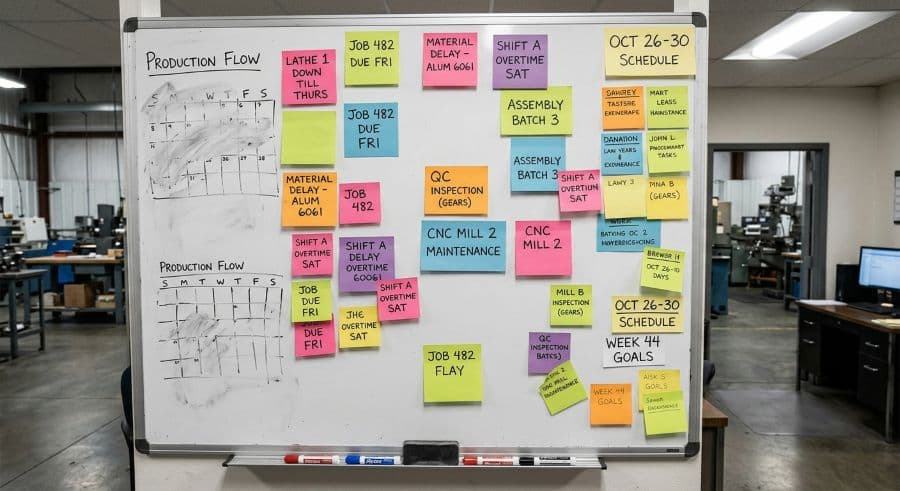
Why this decision stalls more shops than it should
A $2M job shop loses an estimated 5–10% of annual revenue — roughly $128,000 to $276,000 — to manual scheduling inefficiency every year (Qlector 2025). Against a number like that, the software you choose to fix it is a rounding error.
Which is exactly why the decision stalls. The stakes feel high, the category is crowded with tools built for someone else's shop, and most pricing pages are written to obscure rather than clarify. So the spreadsheet survives another quarter.
This is the scheduling software selection hub: the single page that organizes everything we've published to help a job shop owner or production manager make this call without a six-month evaluation. Treat it as a buyer's guide. Start with the fundamentals, narrow to the right category of tool, pressure-test the pricing against how your shop actually buys software, and check how long implementation really takes before you commit to anything.
Start here: what scheduling software actually has to do for a job shop
Before comparing products, get clear on the job itself. A job shop schedule has to enforce finite capacity, surface machine and operator conflicts before they reach the floor, and let you reschedule in seconds when a rush order lands. Tools that treat scheduling as an afterthought fail at exactly these moments.
- The complete guide to production scheduling for job shops — the foundational pillar: what scheduling means in a make-to-order shop and where most approaches break.
- What to look for in production scheduling software for job shops — the feature-level requirements that separate a real scheduler from a calendar with colors.
Pick the right category before you compare products
Most buyers waste their first month comparing the wrong things — feature lists across tools that aren't even in the same category. Sort the category first, then compare within it.
- When an ERP is overkill for shop-floor scheduling — why a full job shop ERP solves a different (and bigger) problem than the one keeping you up at night.
- APS vs. MRP vs. standalone scheduling, compared — what each category is built for, and which one matches a 10–150 employee shop.
- Cloud vs. on-premise scheduling software — the deployment trade-offs that actually matter for an SMB shop with a thin IT bench.
What scheduling software costs: the pricing view
Pricing is where this category does its best work hiding the real number. The headline figure rarely includes seats, implementation, or the modules you need to make scheduling usable. Here is how the categories charge — compare the model first, then the dollars.
| Tool category | How it's priced | What you're actually buying | Time to a usable schedule |
|---|---|---|---|
| Spreadsheets (Excel / Sheets) | Free | A blank grid with no capacity logic or conflict detection | Immediate — until it breaks past ~20 concurrent jobs |
| Cloud MRP | Per user, monthly | Inventory and procurement first; scheduling is a secondary view | Days to weeks |
| Job shop ERP | Per user, monthly + an implementation engagement | Quoting, costing, purchasing, and scheduling bundled into one system | Months, with consultant onboarding |
| Enterprise APS | Annual license + integration project | Finite-capacity optimization designed to sit on top of an existing ERP | Multi-month implementation |
| Standalone visual scheduler (Visual Machine Scheduler) | Flat monthly per tier, users included to a cap | A purpose-built drag-and-drop machine and operator schedule | Same day |
Visual Machine Scheduler is priced flat by tier rather than per seat: Essentials at $199/mo, Professional at $349/mo, Business at $599/mo, and Enterprise at $1,199/mo, each with users included up to a cap and annual plans billed at two months free. The full tier limits live on the pricing page.
Two reads worth doing before you sign anything:
- Per-user vs. flat-rate pricing for scheduling software — why per-seat pricing punishes you for adding the operators a schedule is supposed to coordinate.
- Run your own numbers in the ROI calculator, or read the calculator walkthrough to see how the inputs map to a real job shop's costs.
If you're replacing Excel or a whiteboard
Most shops that buy scheduling software are not switching from another tool — they're switching from a method. The migration questions are different, and so are the risks.
- The job shop alternative to scheduling in Excel — what specifically breaks past 20 concurrent jobs, and what to put in its place.
- Whiteboard vs. scheduling software — keeping the parts of the whiteboard that work while losing the 4 PM rewrite.
How long implementation really takes
The category's dirty secret is that "implementation" ranges from an afternoon to two fiscal quarters depending entirely on which tool you picked — and the long end is rarely disclosed up front.
- Implementation time across scheduling tools, compared — realistic timelines by category, so "go live" doesn't quietly become next year.
The next step in your scheduling decision
The right next move isn't "buy the tool." It's narrowing the category, checking the pricing model against how your shop actually buys software, and confirming you can be live before your next due-date crunch — not after it.
When you're ready to see it against your own machines and jobs: start a free trial. No credit card, 14-day access to the full scheduler. Start your trial. If you'd rather compare tiers and limits first, the pricing page lays everything out before you sign up.
Ready to go beyond the guide?
Most shops are on a live Gantt board within 60 minutes of sign-up, with their existing job list imported from Excel.
Get shop floor scheduling guides in your inbox
Practical articles for production managers — no spam, unsubscribe anytime.
Related articles
Whiteboard vs. Scheduling Software: When You've Outgrown the Magnets
There's nothing wrong with a whiteboard — until there is. The point where your magnetic tag system stops working is spec…
Production Scheduling Software for Job Shops in 2026: A Buyer's Guide
The production scheduling software market spans four distinct tiers — from free spreadsheets to $50,000/yr enterprise AP…
Why Excel Scheduling Breaks Down After 20 Jobs (And What to Do Instead)
Excel can handle 5 to 20 jobs in a job shop. Past that, it becomes a liability. Here's why it breaks and what the altern…